How it works

From a training idea to measured skills

Immersio combines an AI creation engine, a consequence-driven serious-game player, and full management of your classes. Here, screen by screen, is how your training organization works day to day.

Create a training organization account
1 Step 1

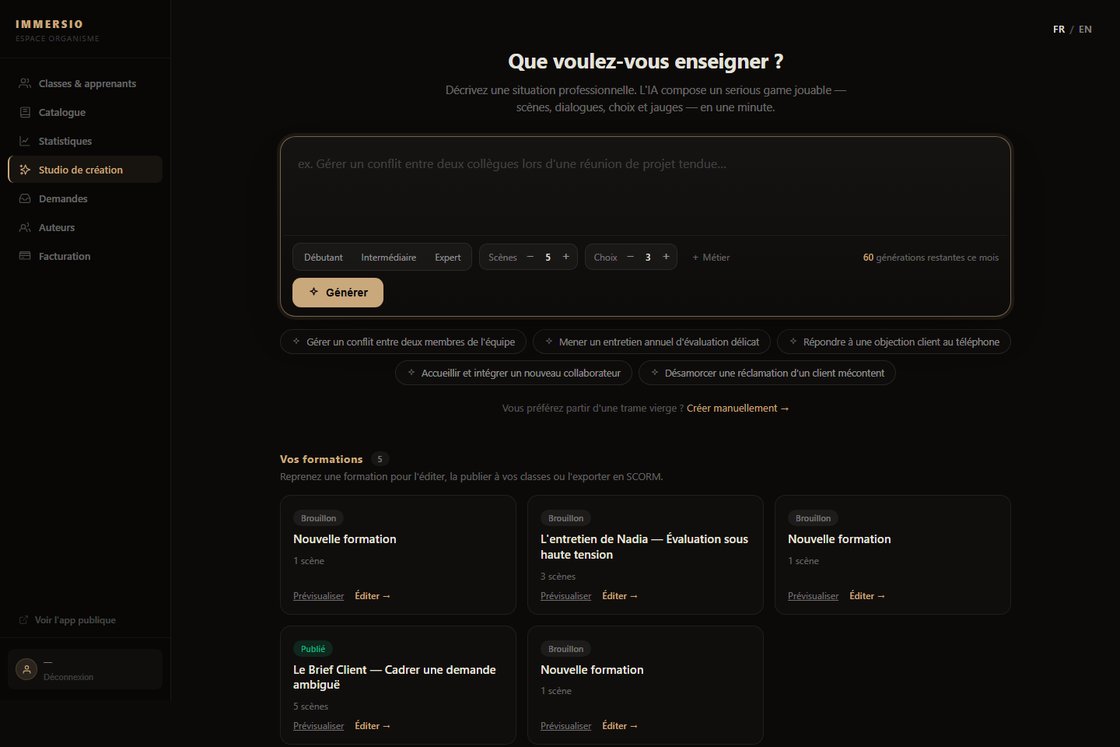
Create your training with AI

Describe a professional situation — "defuse a customer complaint", "run a tricky annual review". The AI composes a playable serious game in a minute: scenes, dialogue, choices and gauges. You set the level, the number of scenes and choices, and the target role.
Create your training with AI
2 Step 2

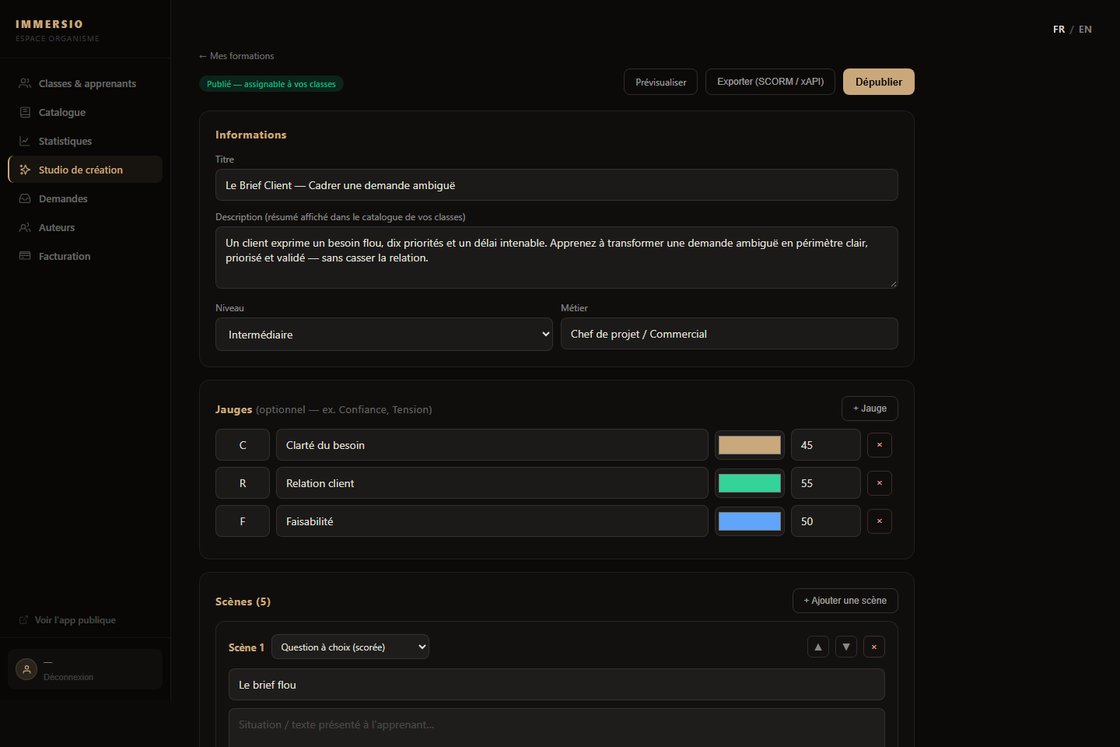
Refine every scene in the editor

Adjust dialogue, choices, scores and their impact on the gauges (customer relationship, feasibility…). Add AI-generated visuals, improve a scene with a simple instruction, then publish to your classes or export to SCORM/xAPI into your LMS.

Refine every scene in the editor
3 Step 3

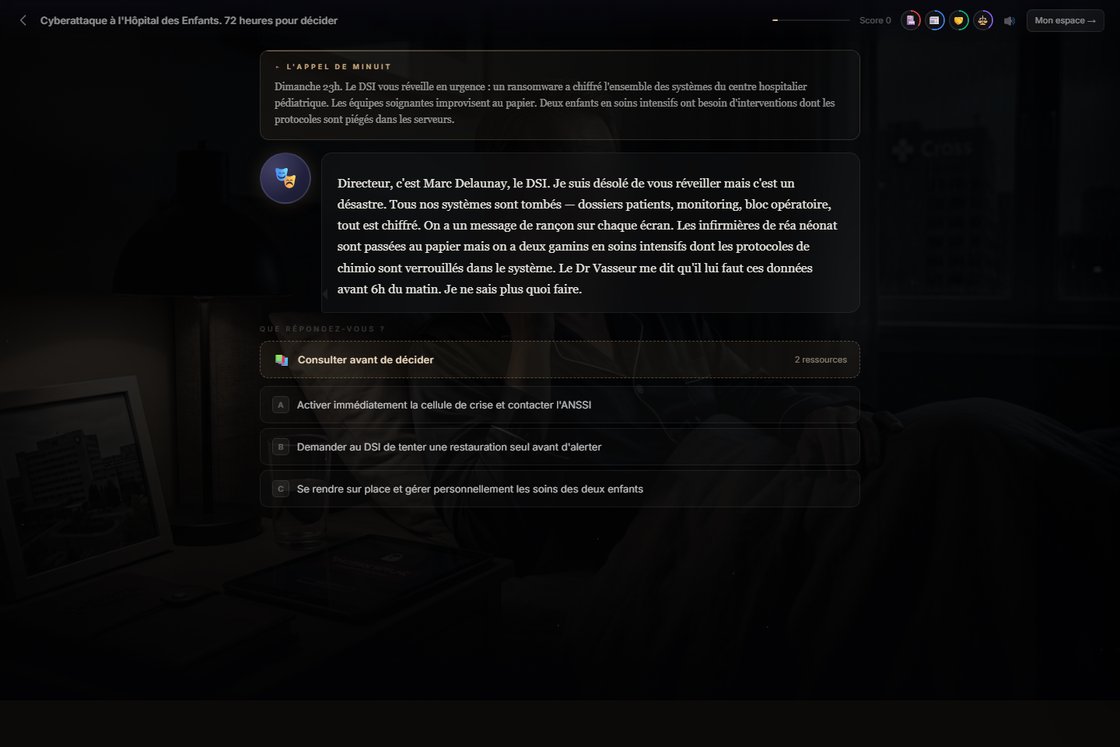
Your learners live the situation

No lecture: at every scene the learner decides and immediately sees the consequences on the gauges. Reference resources can be consulted before deciding. These simulations produce behavioral data — the real level, not self-reported.

Your learners live the situation
4 Step 4

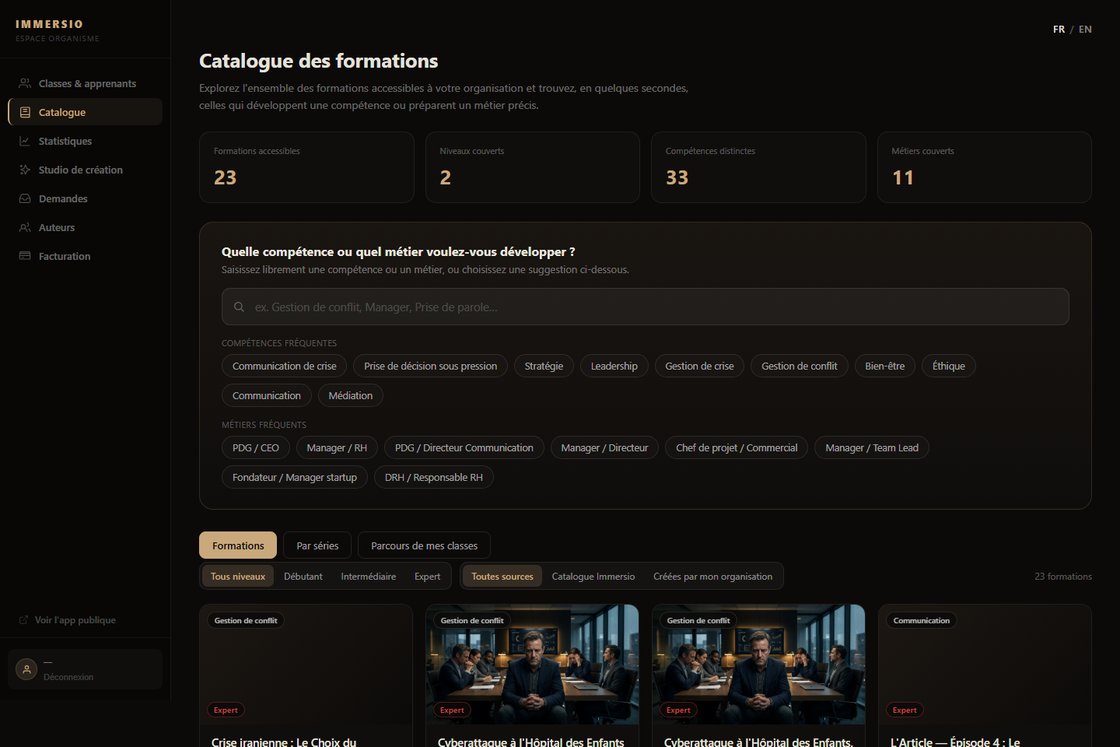
Deliver from your catalogue

Build learning paths from your own scenarios and the Immersio catalogue. Filter by skill, role or series, and assemble ordered paths that your classes follow automatically, in the right order.

Deliver from your catalogue
5 Step 5

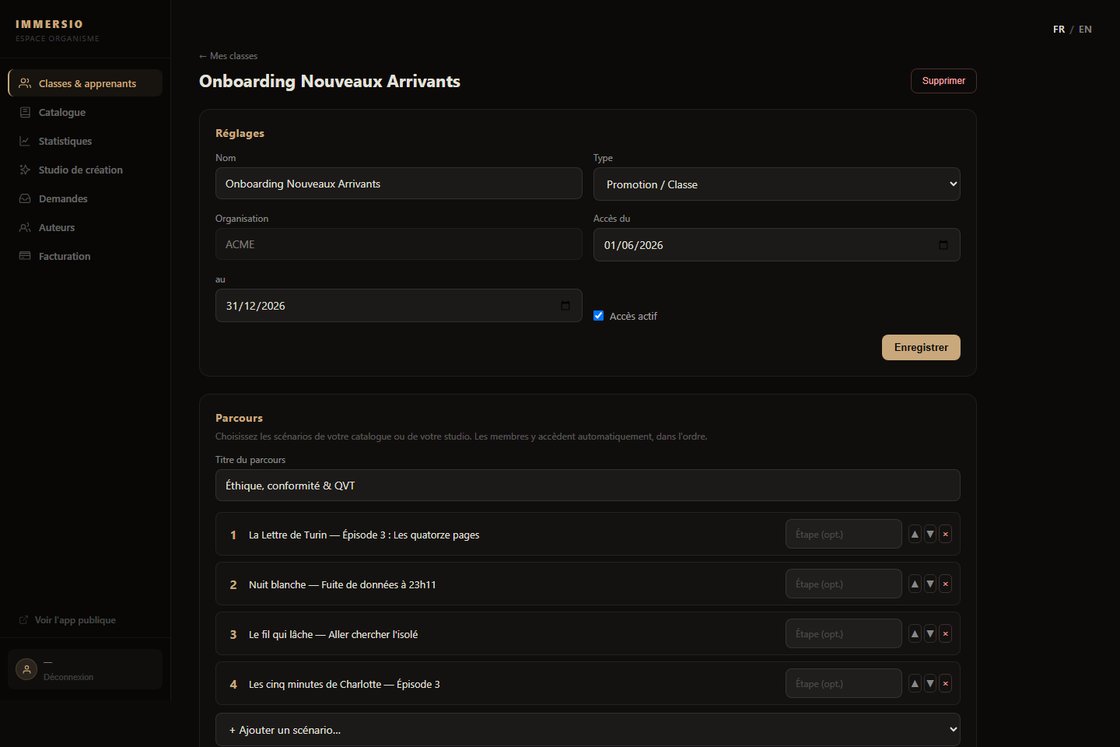
Manage your classes and learners

Create classes or teams, invite your learners (passwordless onboarding), set access dates and assign a path. Completion tracking, learner by learner and scenario by scenario, is visible at a glance.

Manage your classes and learners
6 Step 6

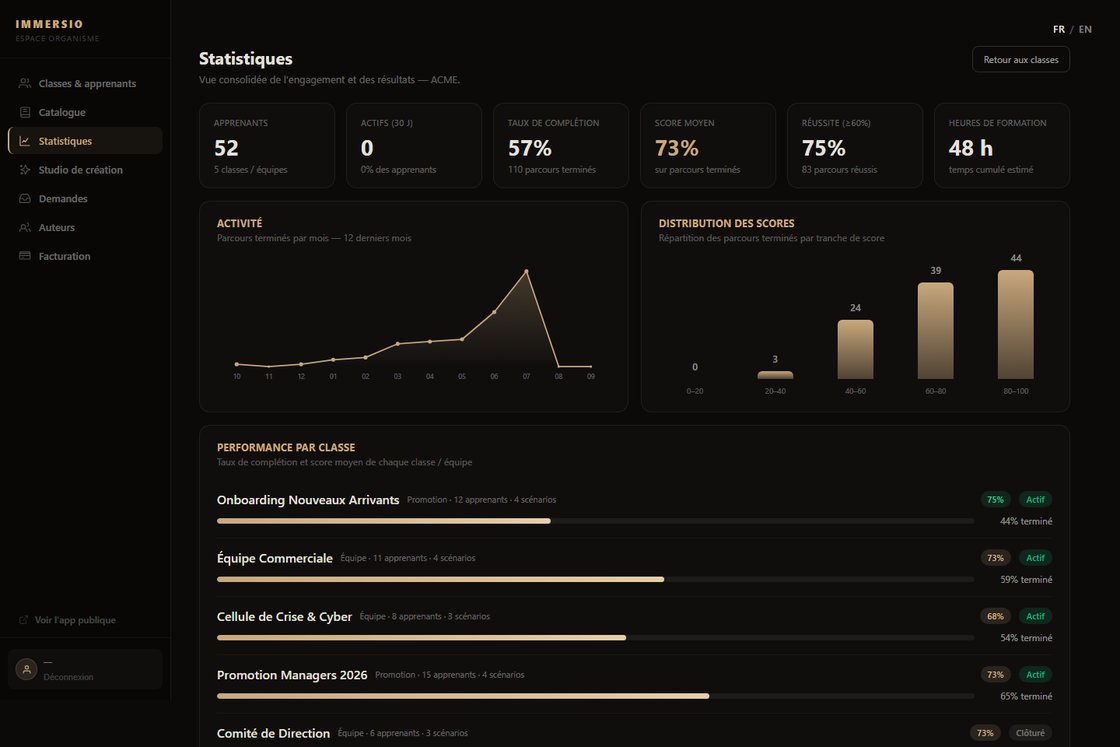
Steer with the dashboard

Consolidated KPIs (completion, average score, pass rate, training hours), engagement per scenario, score distribution, performance per class, top learners and learners to support. Everything is measured, nothing is declarative.

Steer with the dashboard
7 Step 7

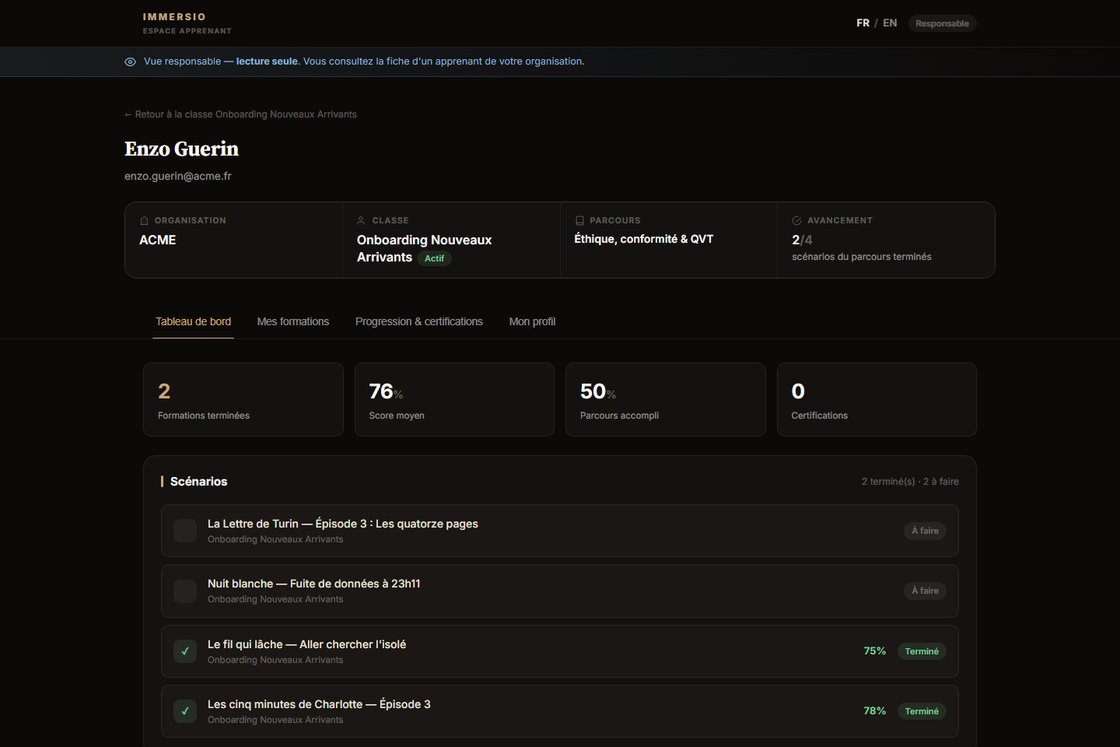
Every learner has a skills profile

A skills map (measured level vs target), training regularity, recent activity and recommended next steps. Available to the learner and to the manager, read-only for the latter.

Every learner has a skills profile

Ready to create your training organization space?

Create your account, invite your learners and launch your first immersive training. AI creation and skills tracking included.

Create a training organization account