Serious game scene types, and what each one teaches
A good serious game doesn't ask the same question seven times in a row. It varies the situations: listen, decide, look, argue, sort. Here are the seven scene types Immersio can put into play, illustrated with real screenshots, with what each one is for and when to use it.
In short
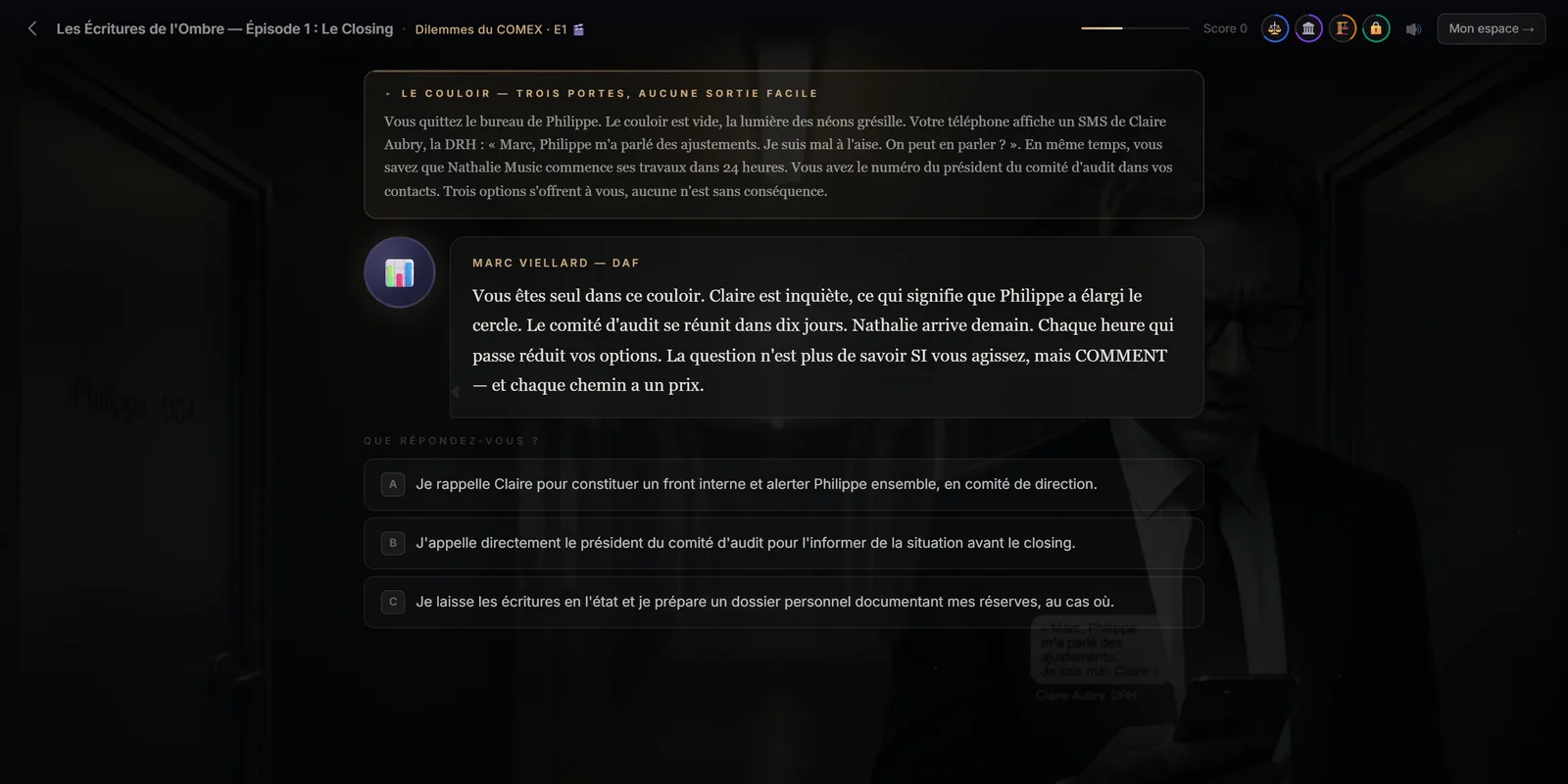
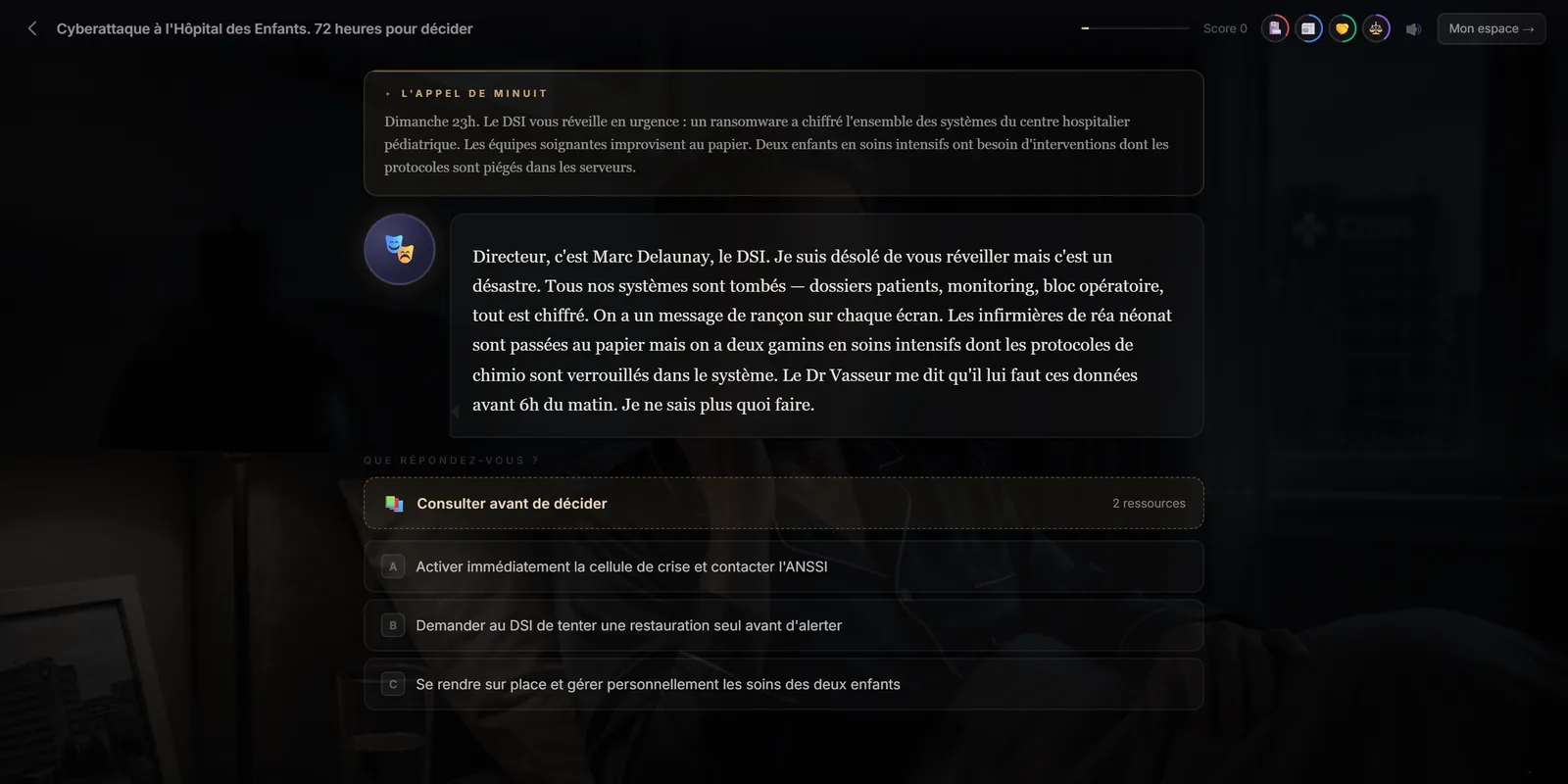
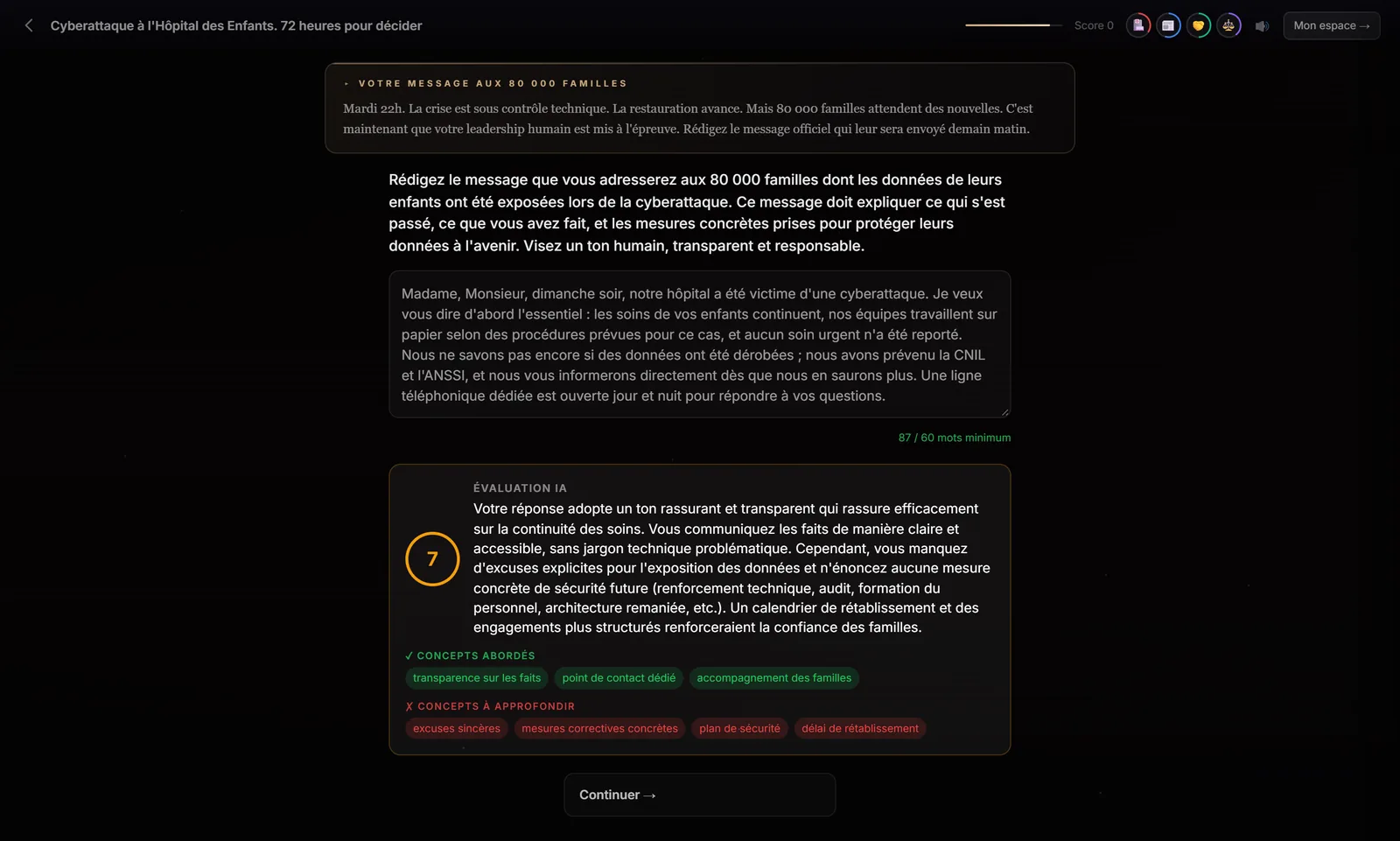
An Immersio scenario combines seven scene types: narrative (set the scene), consequence-based multiple choice (decide), dialogue (handle an exchange), dilemma (make a trade-off with no right answer), observation (spot things in an image), open question (write your own answer, analysed automatically) and matrix (sort items into a management tool: Eisenhower, RACI, SWOT or Pareto). Immersio's scenario generation engine builds the mix according to the level you choose, or the formats you require.
Screenshots show the French version of the player: scenarios are currently generated in French. The platform interface itself is available in English.
Why vary scene types?
Because a professional skill is never a single mental move. Handling an unhappy customer means listening (dialogue), spotting what's wrong (observation), choosing a response (multiple choice), giving something up (dilemma) and sometimes writing the message that commits the company (open question). An exercise that trains only one of these moves trains only part of the job.
Variety also sustains attention. Switching interaction mode renews engagement, and each scene type leaves a different trace: a score, a gauge that moves, a written answer, a classification. The personalised debrief at the end of each playthrough draws on all of these traces to tell learners what they do well and what they need to work on.
Seven scene types
Each page shows the scene as the learner sees it, explains what it trains and how to get it in your own scenario.
 01
Narrative
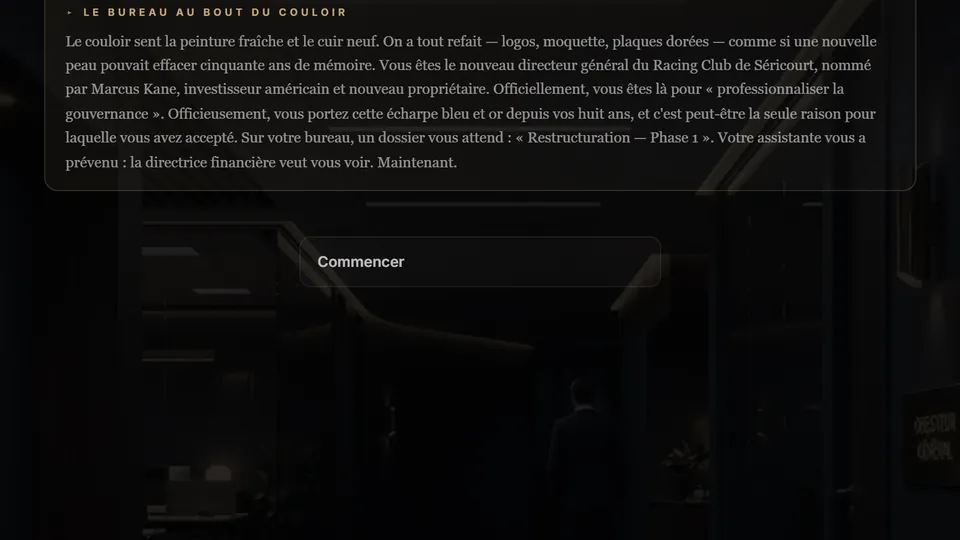
The setting, the role, the stakes. The moment the learner steps into the story.
Trains: immersionExplore →
01
Narrative
The setting, the role, the stakes. The moment the learner steps into the story.
Trains: immersionExplore →
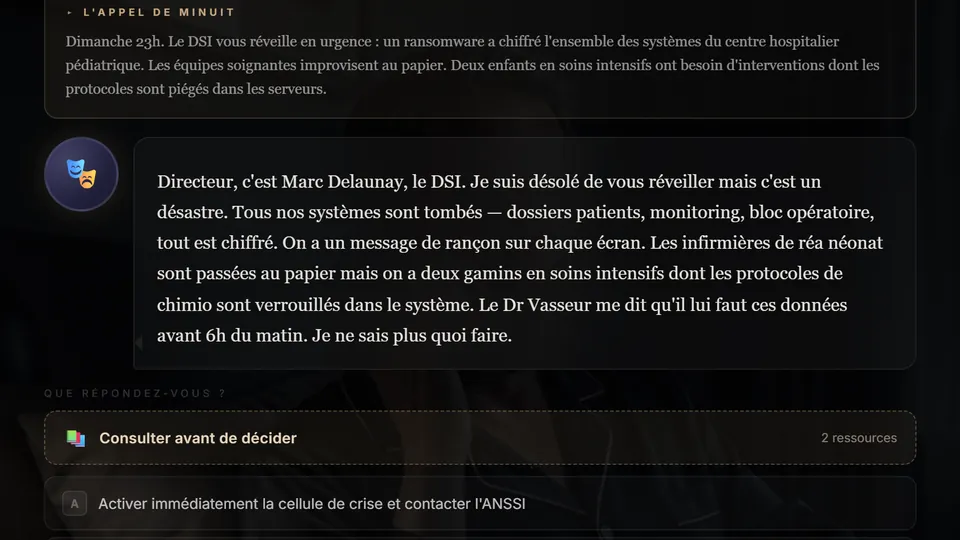 02
Consequence-based multiple choice
Two to four options. Each has a score, feedback, an effect on the gauges and its own continuation.
Trains: decision-makingExplore →
02
Consequence-based multiple choice
Two to four options. Each has a score, feedback, an effect on the gauges and its own continuation.
Trains: decision-makingExplore →
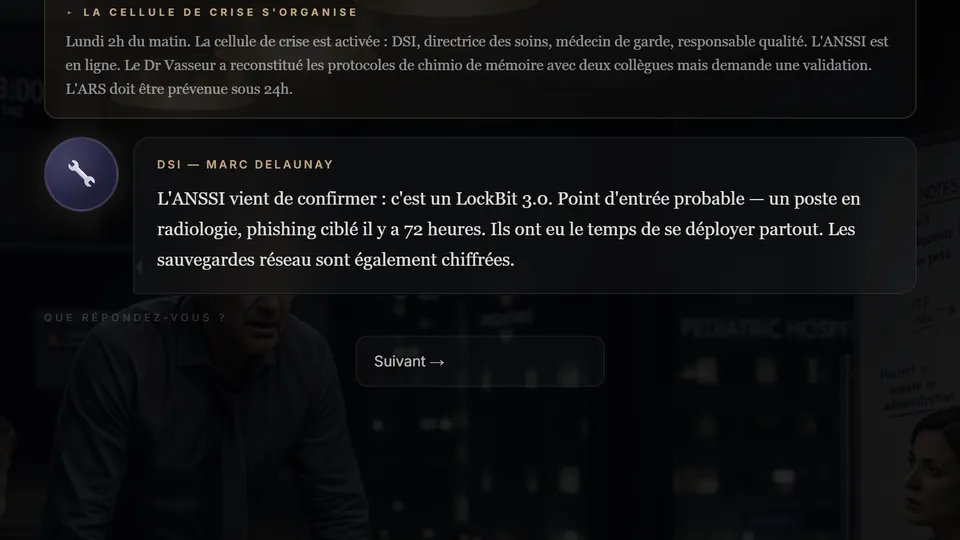 03
Dialogue
A multi-line exchange that builds tension, then the learner's reply.
Trains: communicationExplore →
03
Dialogue
A multi-line exchange that builds tension, then the learner's reply.
Trains: communicationExplore →
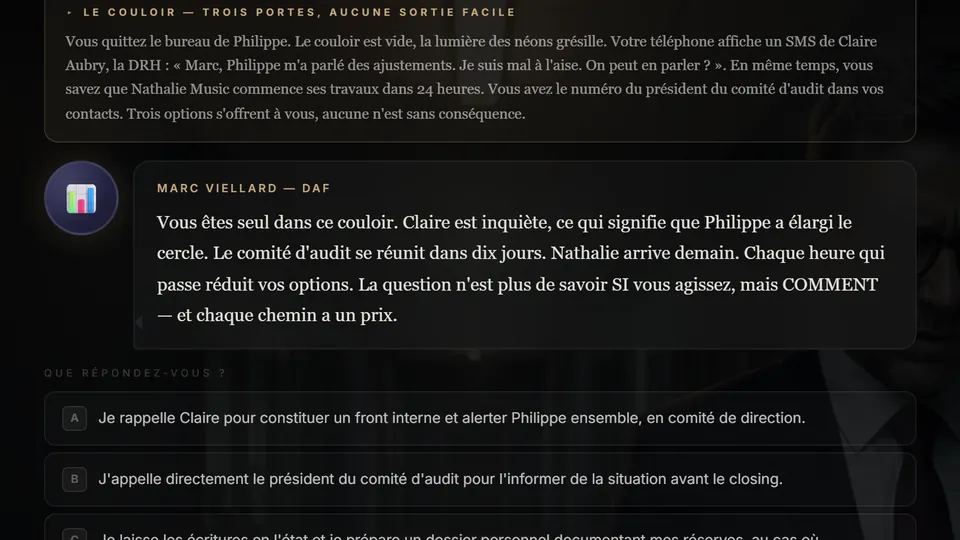 04
Dilemma
No right answer: trade-offs that weigh on the gauges, and a decision to own.
Trains: judgementExplore →
04
Dilemma
No right answer: trade-offs that weigh on the gauges, and a decision to own.
Trains: judgementExplore →
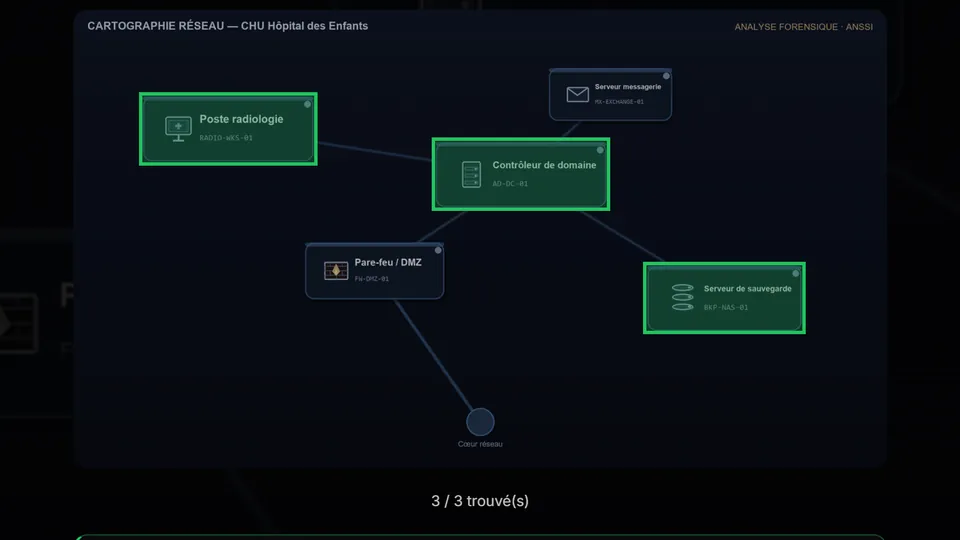 05
Observation
An image, areas to spot, traps to avoid. Training the eye as much as judgement.
Trains: vigilanceExplore →
05
Observation
An image, areas to spot, traps to avoid. Training the eye as much as judgement.
Trains: vigilanceExplore →
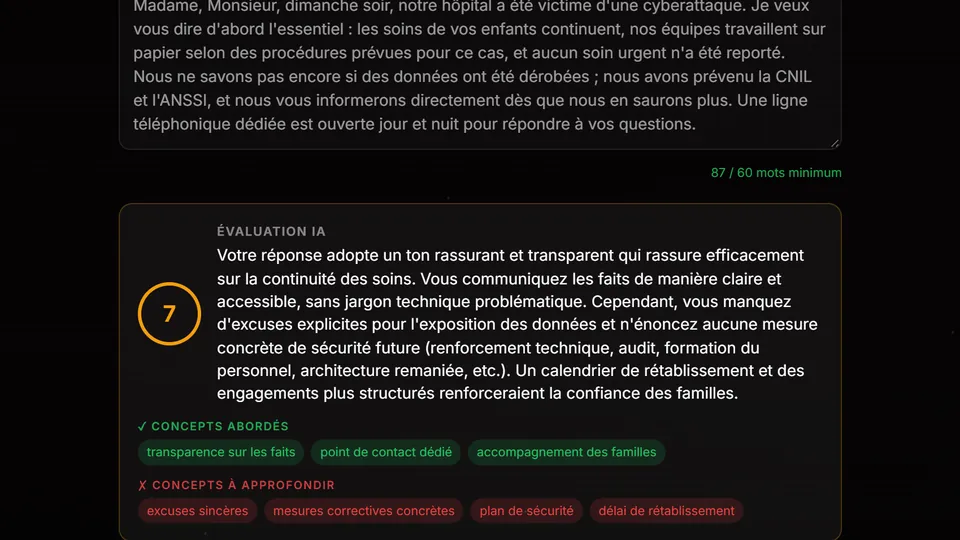 06
Open question
The learner writes their answer. Immersio's engine analyses it and shows what was covered and what's missing.
Trains: written expressionExplore →
06
Open question
The learner writes their answer. Immersio's engine analyses it and shows what was covered and what's missing.
Trains: written expressionExplore →
Matrices: where the game meets the manager's toolkit
The matrix scene asks learners to sort 8 to 12 items drawn from the story into a classic management tool. It isn't a school exercise: the items come from the situation they are living through, and every mistake is corrected on the spot.
Matrix scenes →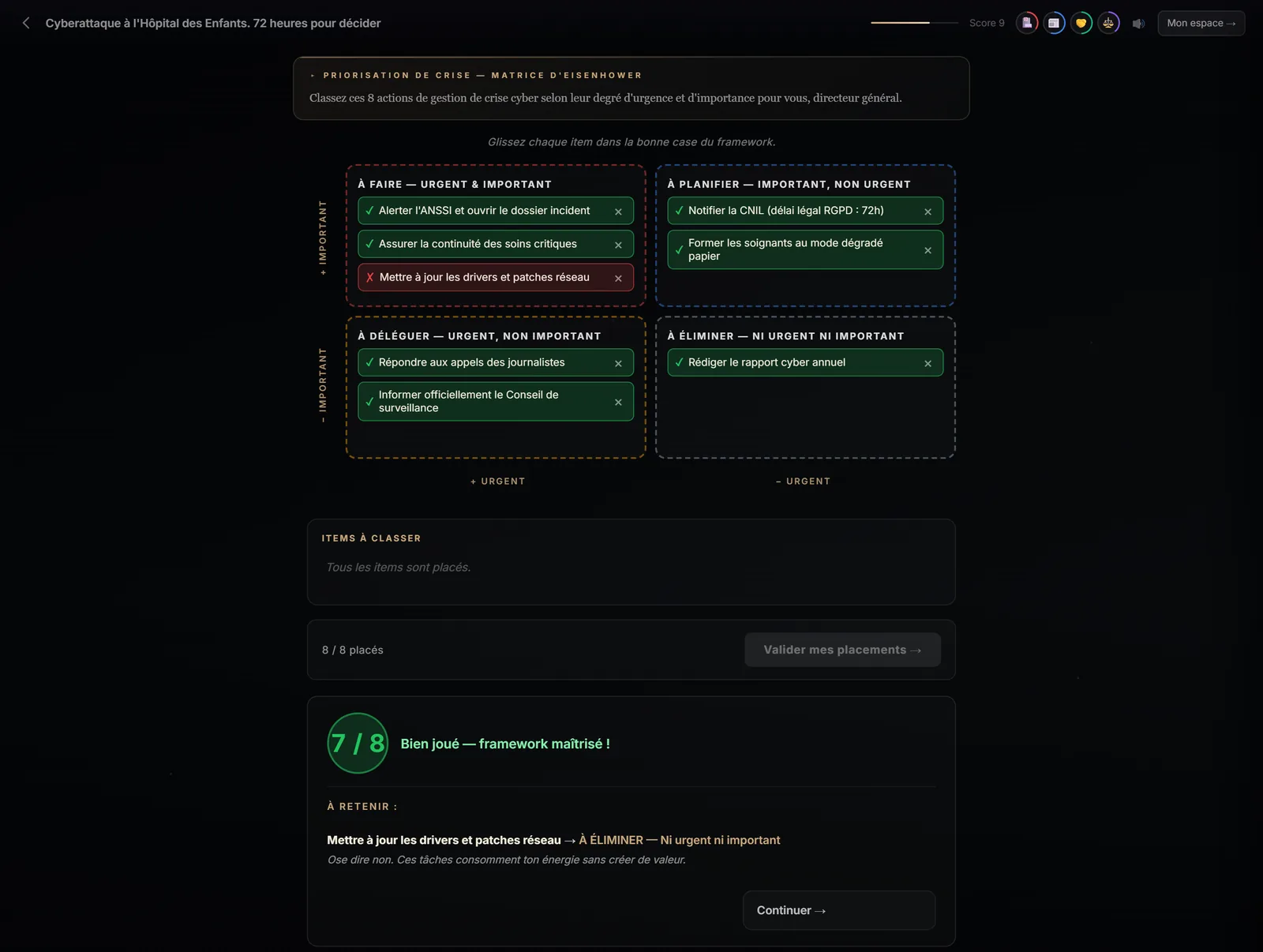
Anatomy of a scenario
An example of an expert-level path, as Immersio's engine can build it. The final order depends on the story; the opening and the endings are fixed.
- IntroductionThe setting, your role, the stakes.
- First decisionThree options, three consequences.
- The conversationOne person, several lines.
- The dilemmaTwo values in conflict.
- The matrixSort things out to see clearly.
- The open questionWrite what you would say.
- Ending + debriefSuccess or failure, then the analysis.
Your first scenario, on your own topic
Describe a situation your learners face, choose the scene formats, and judge the result. 7-day free trial, no credit card required, with 3 scenario generations.
What each scene type trains
Reading guide: the “cognitive level” column uses the revised Bloom's taxonomy (Anderson and Krathwohl, 2001), which ranks learning from “remember” to “create”.
| Scene type | What the learner does | Cognitive level | What is measured | Built by the engine |
|---|---|---|---|---|
| Narrative | Reads, steps into the role | Understand | Nothing: it's story time | Yes, always (introduction) |
| Consequence-based multiple choice | Chooses one of 2 to 4 actions | Apply | Score from 0 to 10 and gauges | Yes, always |
| Dialogue | Follows an exchange, then replies | Apply in a relational situation | Score and gauges | Yes, at least one per scenario |
| Dilemma | Trades off options that all have a cost | Evaluate | Gauges only, no “right answer” | Yes, from intermediate level |
| Observation | Spots areas in an image | Analyse | Areas found, traps avoided | No (built by the Immersio team) |
| Open question | Writes their own answer | Evaluate, create | Score from 0 to 10, concepts covered | Yes, at expert level or on request |
| Matrix | Sorts 8 to 12 items | Analyse | Share of items correctly placed | Yes, expert level or on request |
Who chooses the scene types?
You, or Immersio's engine. In the studio, the Scene formats panel offers two modes. In automatic mode, the engine composes according to level: at beginner level, a dialogue and multiple-choice scenes to anchor the basics; at intermediate level, a dialogue, a dilemma and a matrix if the topic lends itself to one; at expert level, a dialogue, a dilemma, an open question and a matrix.
In custom mode, each format you tick guarantees at least one scene of that type, and you pick the matrix or matrices you want: one scene per matrix. The introduction, multiple-choice scenes, the success ending and the failure ending are always included. Each generated scene uses one credit, visual included.
Frequently asked questions
What is a scene in a serious game?
It's a unit of play: a situation presented to the learner, with an interaction (read, choose, answer, spot, sort) and a consequence. An Immersio scenario links several scenes together; depending on their choices, learners don't follow the same path or reach the same ending.
How many scenes should a scenario have?
You set the number of scenes in the studio. The more formats you require, the longer the path must be to fit them: the studio adjusts the minimum automatically. Each generated scene uses one credit, so the cost is known before you start the generation.
Can I choose the scene types precisely?
Yes. In custom mode, each format you tick (dialogue, dilemma, open question, matrix) guarantees at least one scene of that type, and you choose the matrix or matrices: Eisenhower, RACI, SWOT or Pareto. In automatic mode, the engine composes according to the chosen level.
Do the scenes work on mobile?
Yes. Scenarios run in the browser, on computers and phones alike. On touch screens, matrices are filled by tapping an item and then the target box, instead of dragging and dropping.
In which language are scenarios generated?
In French. The platform interface is also available in English.