In short
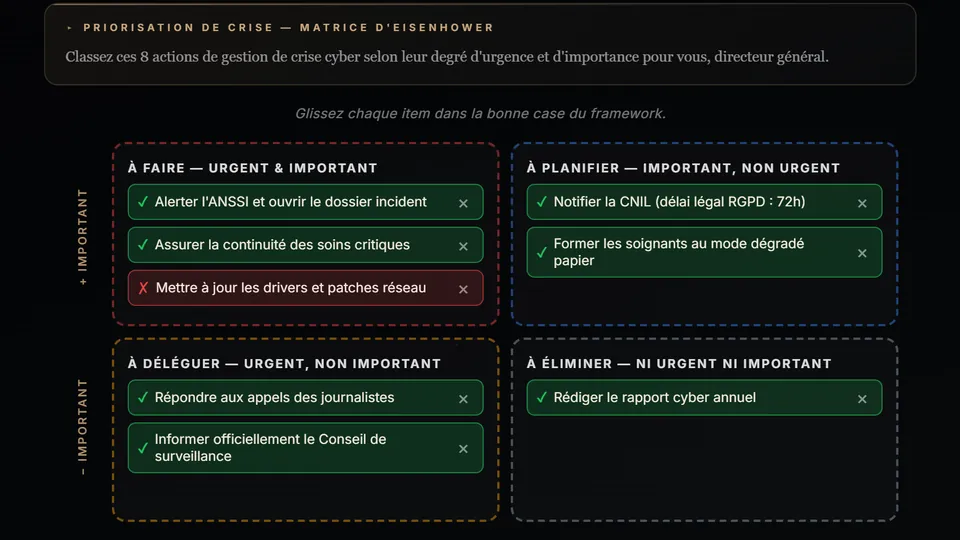
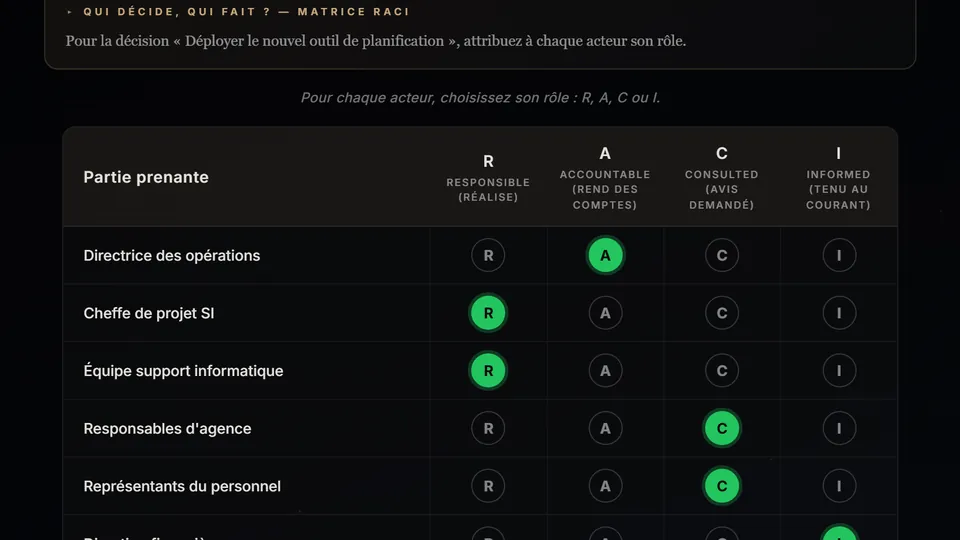
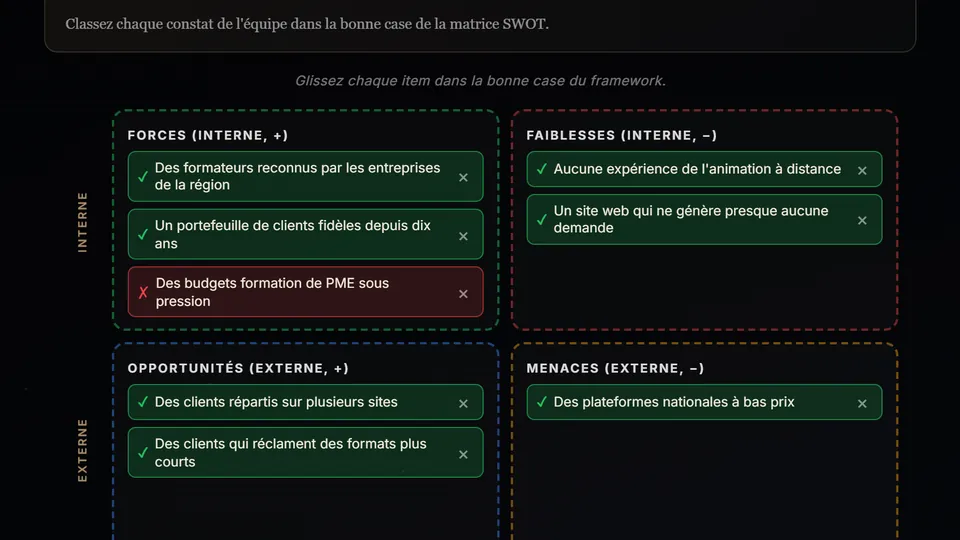
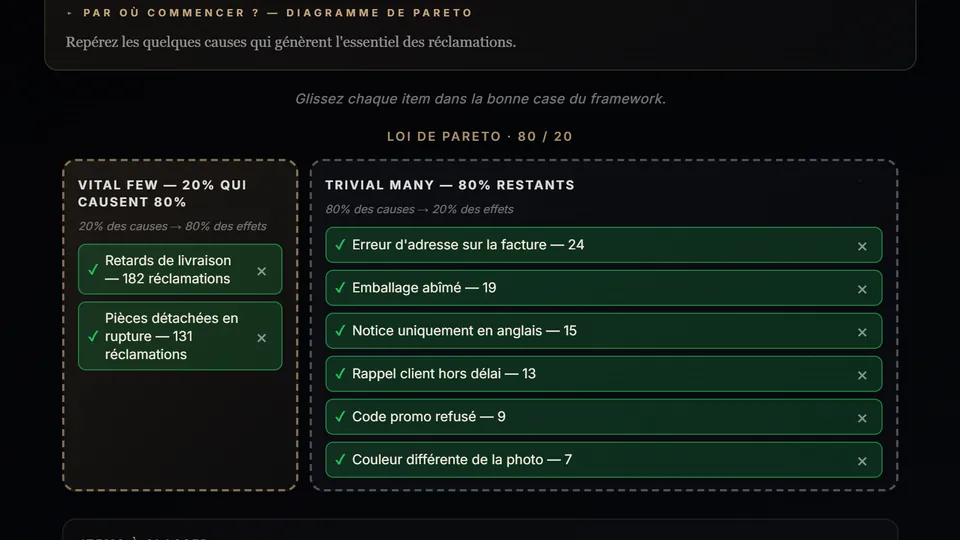
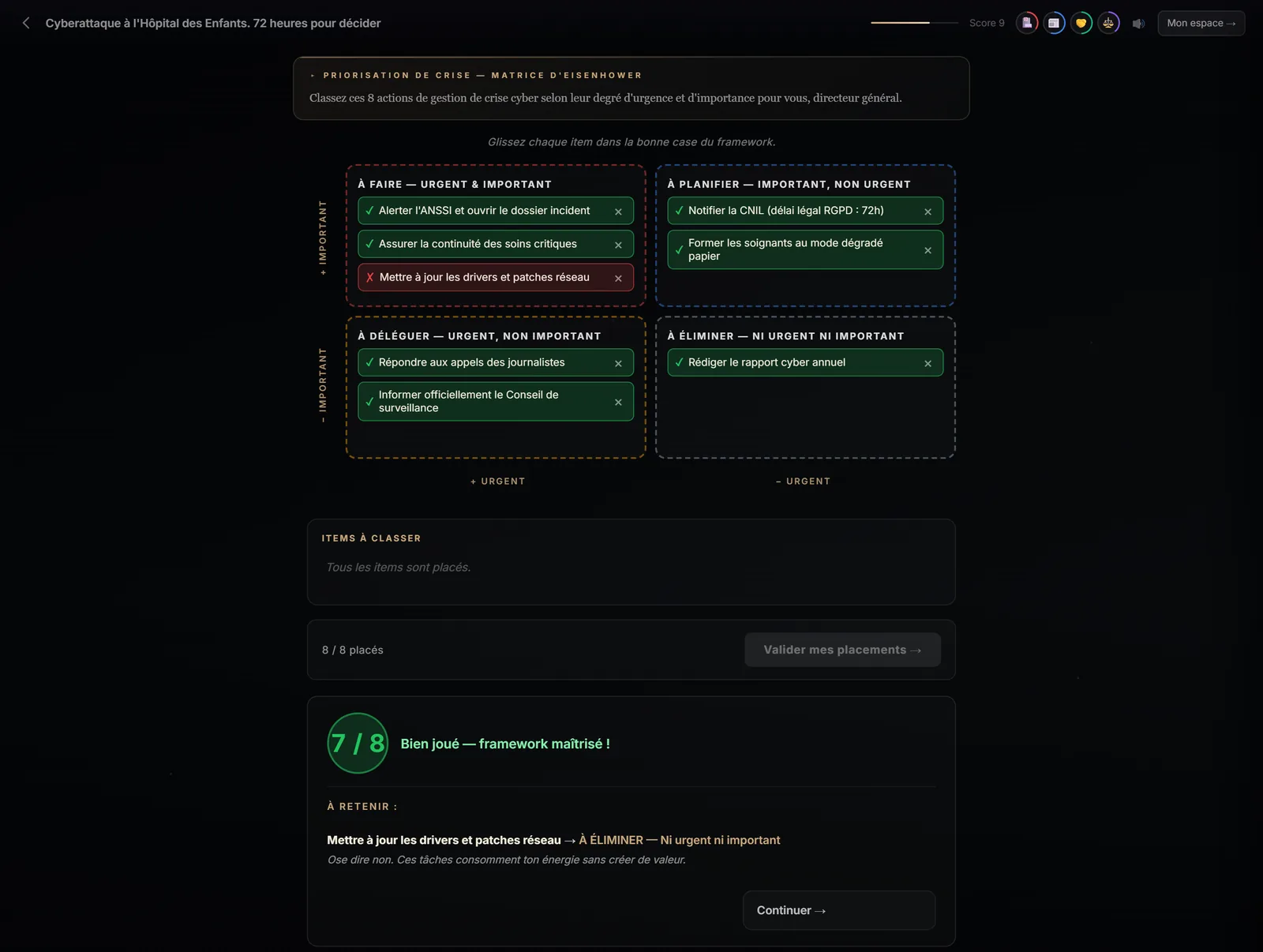
A matrix scene asks learners to sort 8 to 12 items drawn from the story into the boxes of a management tool: the Eisenhower matrix (urgent / important), RACI (who does the work, who decides, who is consulted, who is informed), SWOT (strengths, weaknesses, opportunities, threats) or the Pareto chart (the few causes that matter most). Learners submit, see their mistakes corrected box by box, and can try again if they don't reach the pass threshold.
At a glance
- What the learner does
- Sorts 8 to 12 items into the tool's boxes.
- Matrices
- Eisenhower, RACI, SWOT, Pareto.
- Measured
- Share of items correctly placed; 70% threshold (80% at expert level).
- In the engine
- One at expert level; possible at intermediate level; on request at any level.
- On mobile
- Tap the item, then the box: no drag and drop needed.
Why include a matrix in a serious game?
Because knowing a tool and knowing how to use it are two different things. Reciting the four boxes of the Eisenhower matrix is easy; deciding, on a crisis Monday, that “answering journalists” is urgent but not important for a CEO is much less so. The matrix places the tool inside the situation: the items to sort come from the story the learner is living through.
It's a categorisation exercise, one of the most effective forms of analysis: to place an item, you have to understand the criteria that define each box and decide which applies. And as with the other scenes, feedback is immediate: every misplaced item is flagged, with the expected box and what it teaches.
Which matrix should you choose for your topic?
| Your course is about… | Matrix | The question it asks |
|---|---|---|
| Time management, prioritisation, overload | Eisenhower | What is urgent, what is important? |
| Roles in a project, delegation, change management | RACI | Who does it, who decides, who to consult, who to inform? |
| Strategy, a launch, a repositioning | SWOT | What depends on us, what depends on the outside world? |
| Quality, complaints, continuous improvement | Pareto | Which few causes weigh the most? |
In the studio, the Scene formats panel lets you tick “Matrix” then choose one or more of the four: each matrix chosen produces its own scene. In automatic mode, Immersio's engine picks the matrix that naturally fits the topic.
How does a matrix scene work?
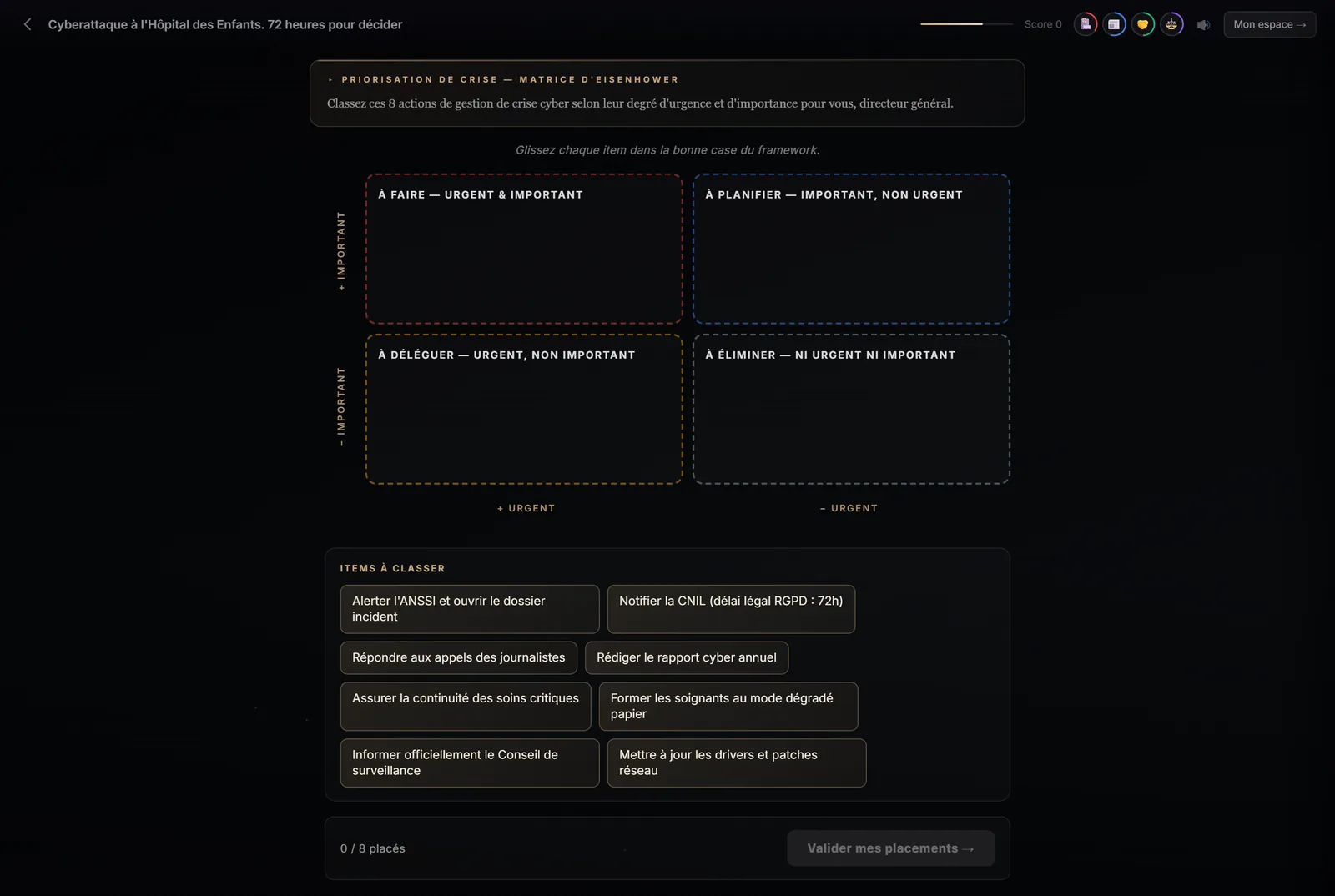
- An instruction anchored in the story: “Monday, 9 am. Sort these eight crisis-management actions.”
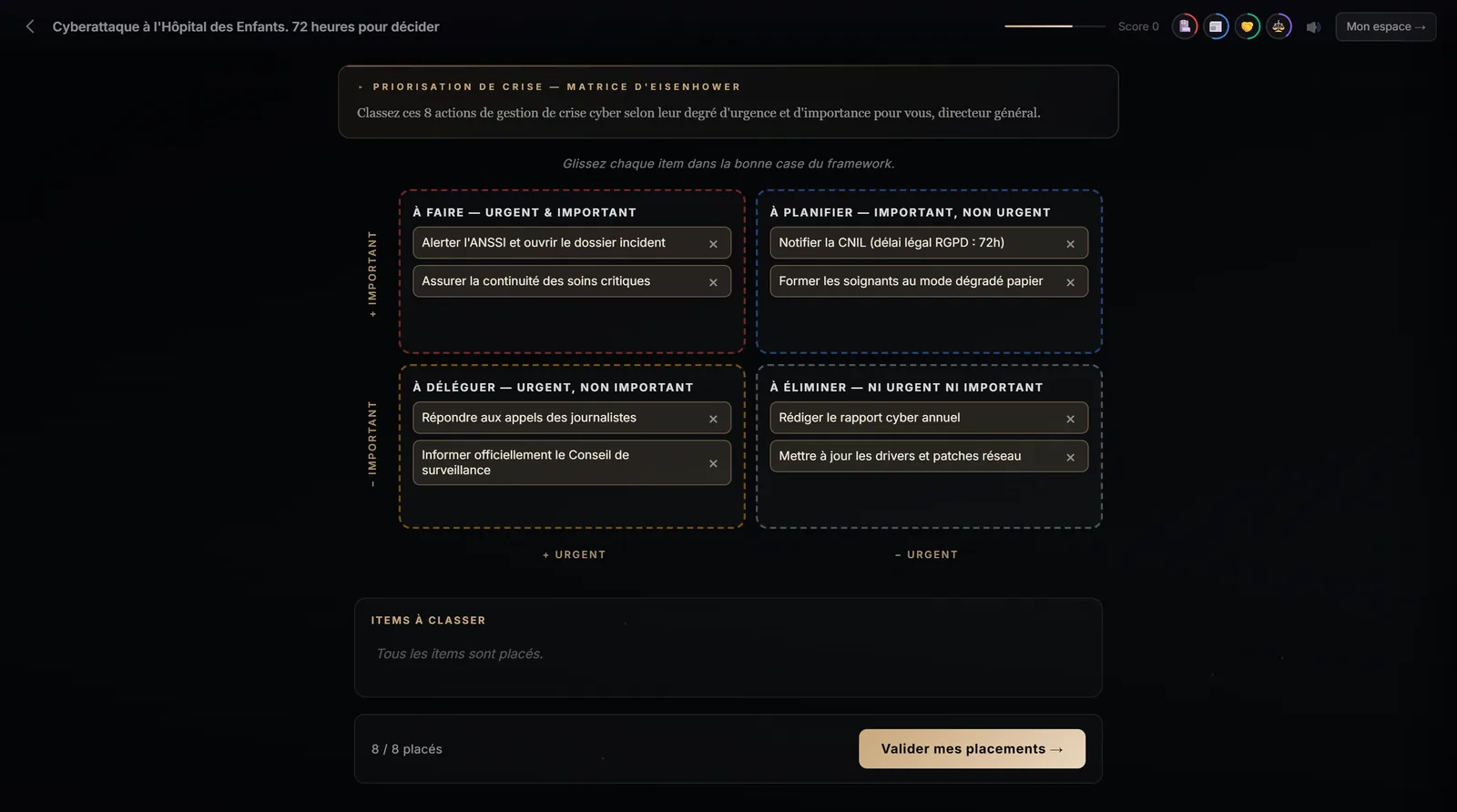
- The learner drags each item into a box (or taps it, then taps the box, on mobile). For RACI, they click the letter for each row.
- They can move an item as long as they haven't submitted.
- On submitting, each item is marked right or wrong; mistakes are explained under “Key takeaway”.
- Below the pass threshold, they can try again; above it, they pick up the story.
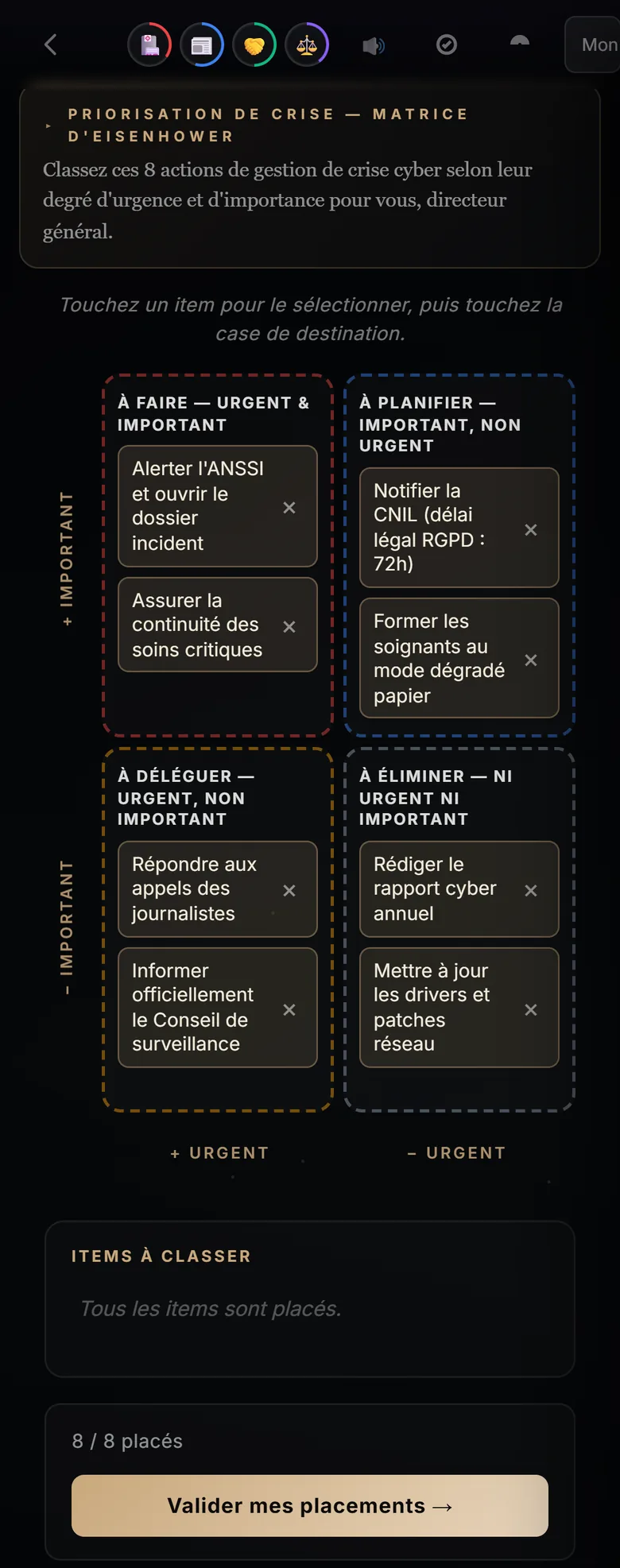
On a touch screen, no drag and drop is needed: the learner taps an item, then the target box. The four boxes stay readable, and placed items can be removed with a tap.
What matrices don't do
They don't replace learning the tool itself: if your learners have never heard of RACI, put a “Check before deciding” resource or an explanation before the scene. The expected classification is the one defined when the scenario was created; for ambiguous items, have it reviewed by a subject-matter expert. Finally, in the training provider editor, a matrix's items can't yet be edited one by one: you rework them through an improvement instruction on the scenario.
Frequently asked questions
How many items does a matrix scene contain?
Eight to twelve in general: enough to cover every box and create real hesitation, few enough to keep the exercise quick.
What happens if the learner fails?
If they don't reach the pass threshold (70% of items correctly placed, 80% at expert level), they see their mistakes explained and can try again before picking up the story.
Can a scenario contain several matrices?
Yes. In custom mode, each matrix ticked produces its own scene. Plan a path long enough to fit them: the studio adjusts the minimum number of scenes.
Which matrix for a management course?
Eisenhower for prioritisation and time management, RACI for delegation and role clarity. SWOT is better suited to strategy courses, Pareto to quality and continuous improvement.
Create your first scenario
A training provider account gives you the studio, the scene formats and all four matrices. 7-day free trial, no credit card required, with 3 scenario generations to judge the result on your own topic. Scenarios are generated in French.
Create a training provider accountPrefer to compare first? See pricing · How it works